
 Aminah Zaheer

Creating a dieline for packaging is one of the most important steps in the design process. A dieline is like a map or blueprint that shows how your packaging will look once it is cut, folded, and printed. Without a proper dieline, packaging designs can go wrong, leading to printing errors, extra costs, and wasted time. Thankfully, many software tools make it easier for designers to create accurate and print-ready dielines. Choosing the right packaging dieline software can significantly improve packaging accuracy, reduce production errors, and streamline the design process.
Quick Answer: Which Packaging Dieline Software Is Best?
If you're looking for the best packaging dieline software, Adobe Illustrator remains the top choice for professional designers who need precise vector editing and print-ready files. Pacdora is one of the best free dieline generator platforms for beginners thanks to its ready-made templates and 3D previews. For packaging manufacturers and structural engineers, ArtiosCAD offers advanced dieline creation, 3D visualization, and production-ready workflows.
The right tool depends on your needs, budget, and packaging type. In this guide, we compare the best dieline software, box dieline generators, and packaging design platforms available today.
How We Compared These Tools
To evaluate the best packaging dieline software tools, we compared them based on ease of use, file export options (PDF, AI, DXF, SVG), 3D mockup capabilities, packaging template availability, pricing, and suitability for commercial printing and packaging production.
Whether you're creating folding cartons, corrugated boxes, mailer boxes, rigid boxes, or retail packaging, these factors help determine which software delivers the best results.
Best Packaging Dieline Softwares (Free & Paid)
In this blog, we will talk about the best software tools to create dielines for packaging, their features, and why they are useful for businesses and designers.
1. Adobe Illustrator
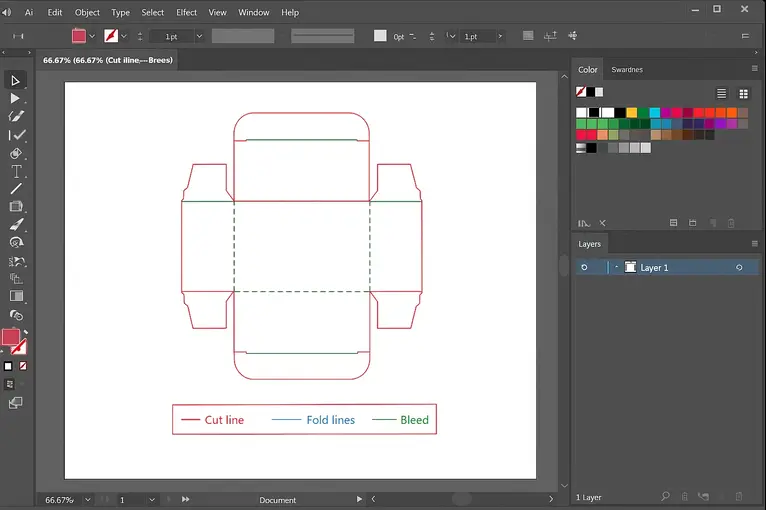
Adobe Illustrator is the most popular tool for creating dielines. It is widely used by packaging designers because of its precision, flexibility, and advanced vector design tools.
- You can draw dielines with exact measurements.
- It allows you to add cut lines, fold lines, bleed areas, and safe zones.
- You can also export the dieline in printer-friendly formats like PDF or EPS.
- Illustrator works well with other Adobe tools like Photoshop and InDesign, making it perfect for packaging projects.
If you want professional and detailed dielines, Illustrator is the best one to create a perfect dieline.
Best For: Professional packaging designers creating print-ready dielines and custom packaging artwork.
2. CorelDRAW
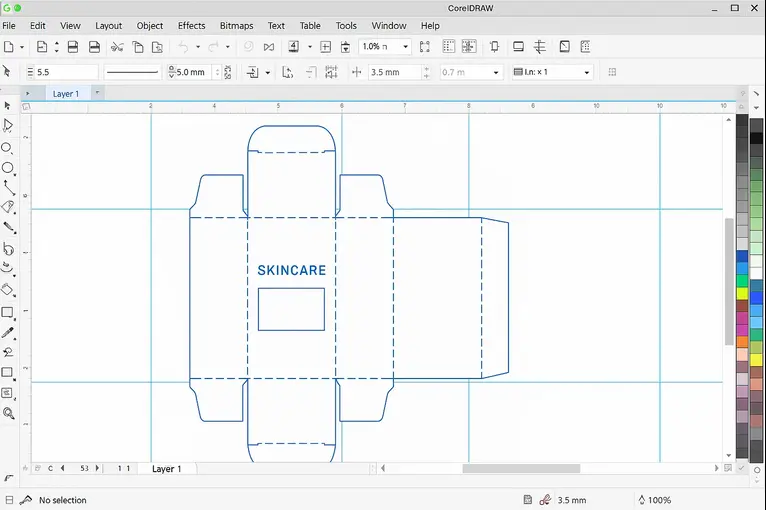
CorelDRAW is another vector design software that is great for creating dielines. It is very similar to Adobe Illustrator but is considered easier to learn for beginners.
- It offers powerful drawing and editing tools.
- You can easily create dielines with sharp edges and smooth curves.
- Supports multiple file formats for printers.
- It is also cost-friendly compared to Illustrator.
Many small businesses and designers prefer CorelDRAW for simple and affordable dieline creation.
Best For: Small businesses and designers looking for an affordable alternative to Illustrator.
3. Pacdora
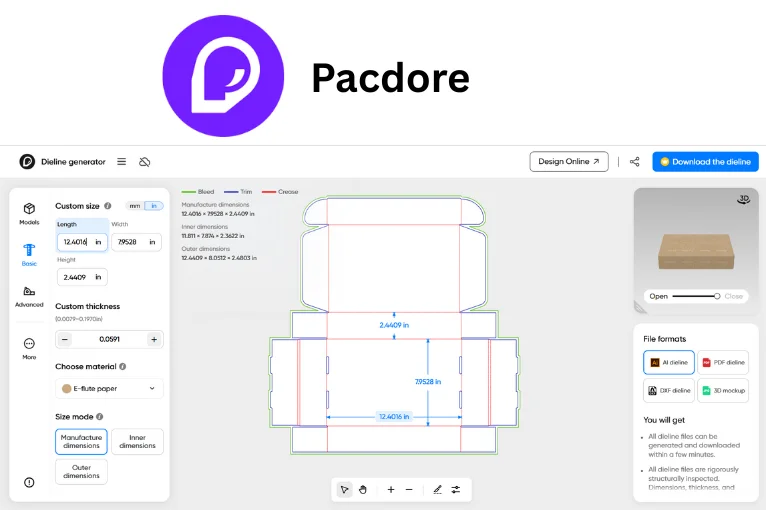
Pacdora is also one of the most popular packaging dieline generator platforms available online today.
- Large library of dieline templates (boxes, bags, trays, envelopes, etc.)
- Customizable dimensions and material thickness
- Print-ready files (PDF, SVG, PNG)
- 3D mockup preview with design upload
- User-friendly interface for beginners and professionals
Pacdora makes dieline creation simple, fast, and accessible for everyone.
Best For: Beginners seeking a free online dieline generator with instant 3D previews.
4. ArtiosCAD
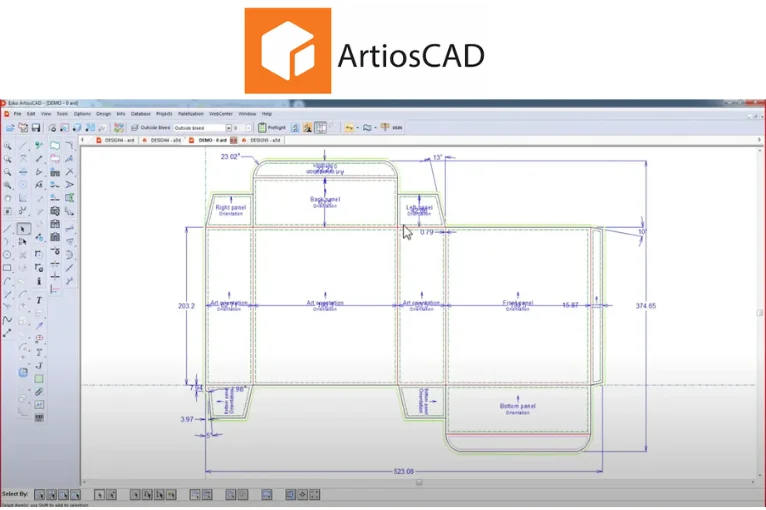
ArtiosCAD is a packaging-specific design software. Unlike Illustrator, which is made for general design, ArtiosCAD is created for packaging engineers and structural designers.
- It includes ready-to-use templates for boxes, cartons, and displays.
- You can create 2D dielines and then see them in 3D mockups.
- It also allows testing for folding and fitting before printing.
- Perfect for complex packaging designs such as retail displays, corrugated boxes, and folding cartons.
ArtiosCAD is a professional solution for packaging companies that need accuracy and 3D visualization.
Best For: Packaging engineers and manufacturers designing corrugated boxes, folding cartons, and retail displays.
5. Kasemake
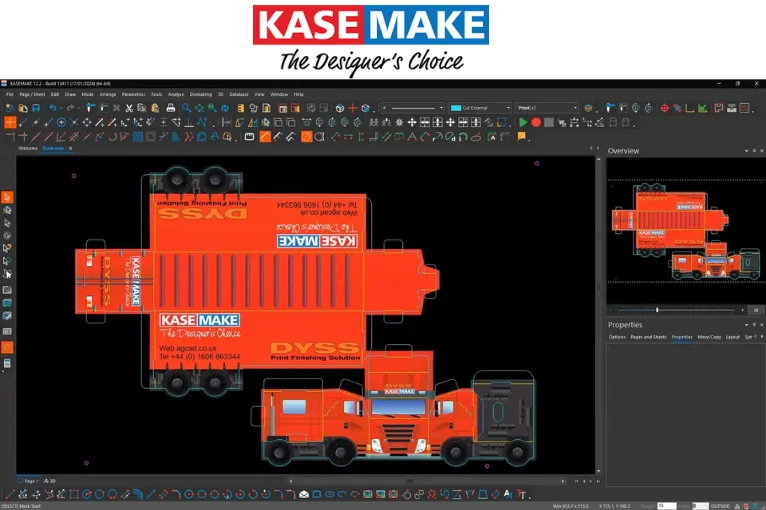
Kasemake is another packaging design software often used in professional packaging industries.
- Offers a wide library of packaging templates.
- Supports both 2D dieline creation and 3D visualization.
- Works with cutting tables, making it easier for packaging manufacturers.
- Useful for designing retail packaging, corrugated cartons, and display units.
Kasemake is excellent for packaging companies that want speed and efficiency in dieline creation.
Best For: Packaging manufacturers requiring structural design and production workflows.
6. EngView Package Designer
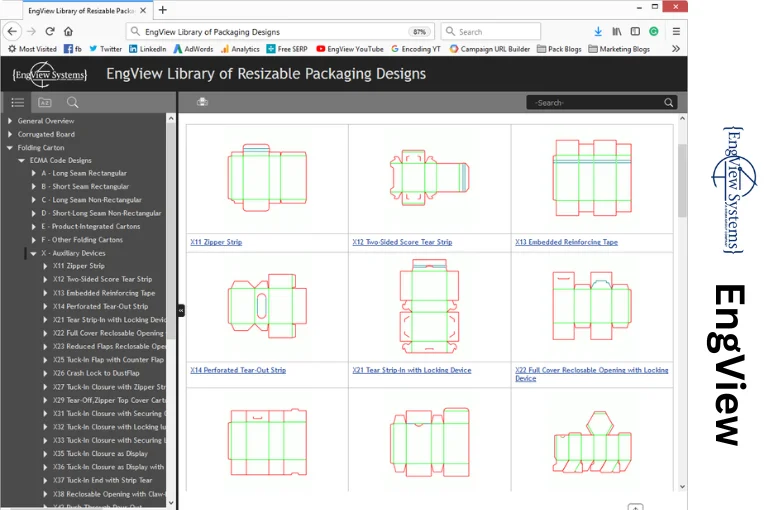
EngView is a CAD-based packaging design software used by many packaging professionals.
- Comes with parametric design templates.
- Supports dieline drawing, editing, and 3D visualization.
- Works well with Adobe Illustrator for graphics.
- Helps in creating accurate packaging prototypes.
EngView is perfect for businesses that need both structural dielines and graphic design integration.
Best For: Teams combining structural packaging design with graphic design workflows.
7. Boxshot (AI-Powered Tool)
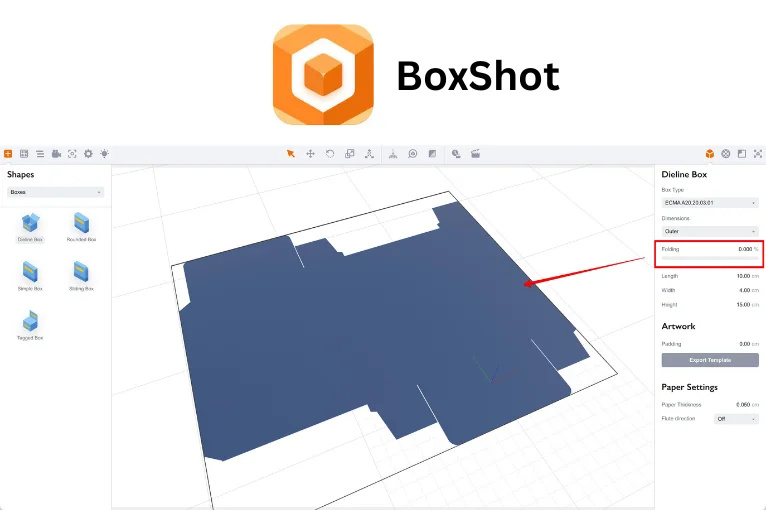
Boxshot is a newer tool that uses AI and automation to create dielines and packaging mockups. Many businesses use Boxshot as a custom packaging dieline generator and mockup creation tool.
- You can generate dielines quickly with just dimensions.
- It allows you to see realistic 3D packaging models.
- Very beginner-friendly with drag-and-drop features.
- Great for quick presentations and design approvals.
Boxshot is ideal for startups and designers who want speed and simplicity.
Best For: Fast packaging mockups, presentations, and AI-assisted dieline generation.
Free vs. Paid Dieline Software: Which Should You Choose?
If you're new to packaging design, a free dieline generator can help you create simple box layouts without investing in expensive software. Platforms like Pacdora offer free plans that allow users to create packaging dielines and preview them in 3D.
Paid tools such as Adobe Illustrator, ArtiosCAD, Kasemake, and EngView provide advanced design controls, structural engineering features, production-ready exports, and integration with commercial printing workflows. Businesses producing packaging at scale often benefit more from paid software due to greater accuracy and customization options.
For startups and small businesses, starting with a free dieline creator and upgrading later is often the most cost-effective approach.
Top 7 Packaging Dieline Software Tools Compared
The following comparison includes the most popular dieline software, box dieline generators, and packaging design software currently available.
| Software | Best For | Key Features | Difficulty Level | Pricing |
|---|---|---|---|---|
| Adobe Illustrator | Professional packaging design | Vector precision, cut lines, bleed, safe zones | Advanced | ~$22.99/month |
| ArtiosCAD | Structural packaging engineers | 2D & 3D packaging, ready templates | Professional | Custom license (expensive) |
| CorelDRAW | Beginners & small businesses | Affordable, vector tools, easy export | Easy | ~$22.42/month or ~$299/year |
| Pacdora | Quick online dielines | Automated dieline generator, 3D preview | Easy | Free plan + Paid from ~$19/month |
| Kasemake | Packaging manufacturers | 2D & 3D, template library, cutting table support | Medium | Custom pricing |
| EngView | Graphic + structural design | CAD + Illustrator integration, accurate dielines | Advanced | Custom pricing |
| Boxshot | Startups & presentations | AI-powered, fast 3D mockups | Easy | ~$99 one-time or ~$19/month |
Custom Dieline Creation by Professional Designers
Custom dieline creation is the best choice when you need precision and tailored solutions that software tools can’t always provide:
- Professional expertise for accurate dielines
- Custom dielines based on exact product dimensions
- Suitable for rigid boxes, mailer boxes, and more
- Ensures precision, functionality, and durability
- Designs aligned with your brand identity
A dependable choice when you need more than automated tools. Choose HT Custom Boxes to get expert-designed dielines that bring your packaging ideas to life.
Final Thoughts
Choosing the right software tool for creating dielines depends on your needs. If you are a professional designer, Adobe Illustrator and ArtiosCAD are the best choices. For small businesses or beginners, CorelDRAW and Pacdora are easier to use. Companies that need large-scale packaging production often prefer Kasemake or EngView, while Boxshot is great for quick and realistic mockups.
No matter which tool you pick, having the right dieline software ensures that your packaging is accurate, print-ready, and cost-effective. At HT Custom Boxes, we use the latest tools and software to create high-quality dielines that bring your packaging ideas to life.
 Phone
Phone